Option 2: FASTA sequence
For a novel transcript sequence that isn't (yet) a named Ensembl isoform — e.g. a long-read assembly or a manually assembled transcript — paste or upload a single spliced mRNA/cDNA (or CDS) nucleotide sequence. Not raw genomic DNA with introns.
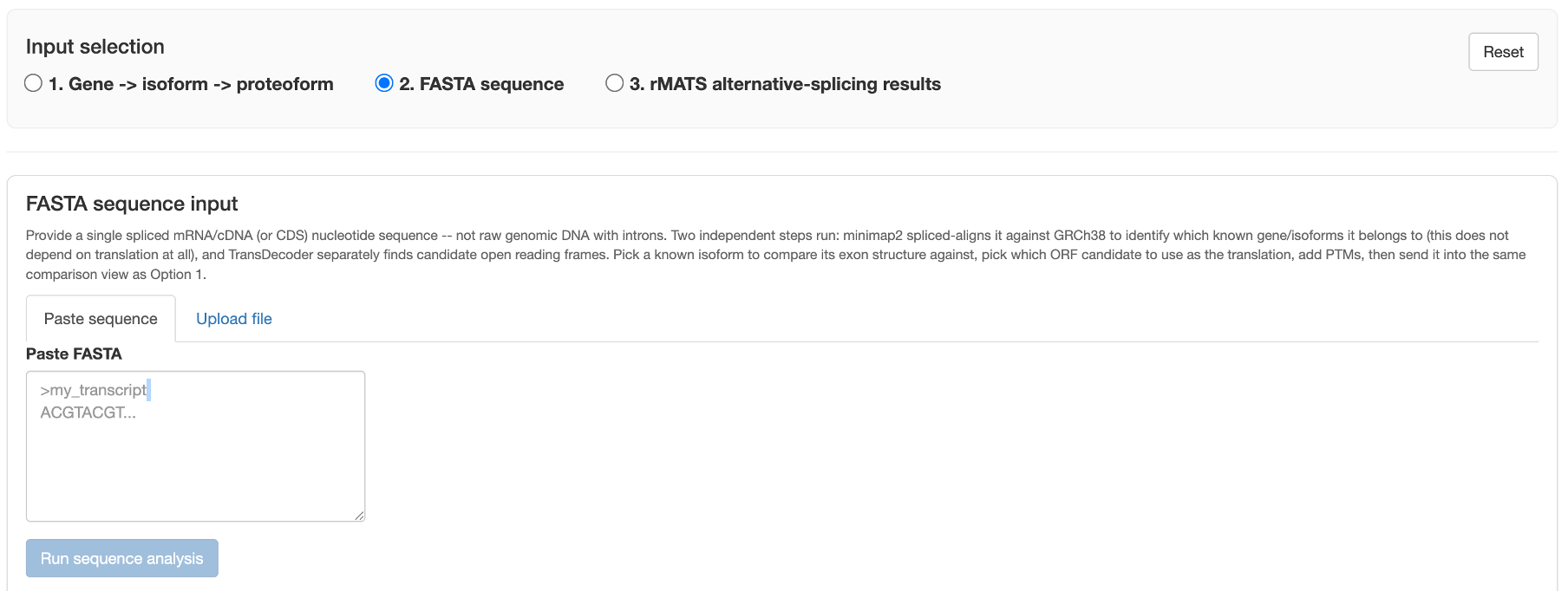
Two independent steps
Clicking Run sequence analysis runs two steps that don't depend on each other:
- minimap2 spliced alignment against GRCh38 — identifies which known gene/isoforms this sequence belongs to. This step never looks at translation at all.
- TransDecoder — finds candidate open reading frames independently of step 1.
Both need the optional reference-genome setup described in Installation & setup. If the minimap2 index isn't built yet, this tab still accepts input — it just reports that alignment isn't available rather than erroring.
After alignment
Once both steps finish, you get:
- A known isoform to compare your sequence's exon structure against (from the same gene the alignment matched)
- A TransDecoder ORF candidate dropdown — pick which candidate open reading frame is the real translation
- The same PTM spec box as Option 1 — see PTM specification syntax
- An Add to comparison button
Clicking Add to comparison sends your novel sequence into the exact same shared results view
Option 1 uses — the proteoform table, Section 1, and Section 2 all work
unchanged, with your novel sequence treated as just another checked proteoform (labeled
NOVEL_1 by default). This is why the underlying Proteoform object exists: every input path
converges on it before any scoring code runs.
Paste vs. upload
Either paste FASTA text directly or upload a .fa/.fasta/.fas/.txt file — both feed the same
two-step pipeline.
Try it with a real example file
Two example novel-transcript FASTA files are in the app repository's
tests/novel_isoform_test/
folder — download one and paste/upload it here to try the workflow immediately, without needing
your own assembled transcript first.