Middle-down mode: the peptide candidate picker
When MS strategy is set to Middle-down, ProteoformTracker simulates a limited (partial) protease digestion of every checked proteoform, then lets you pick which resulting large peptides to actually run the MS1/MS2 analysis on — instead of analyzing the intact protein.
Opening the picker
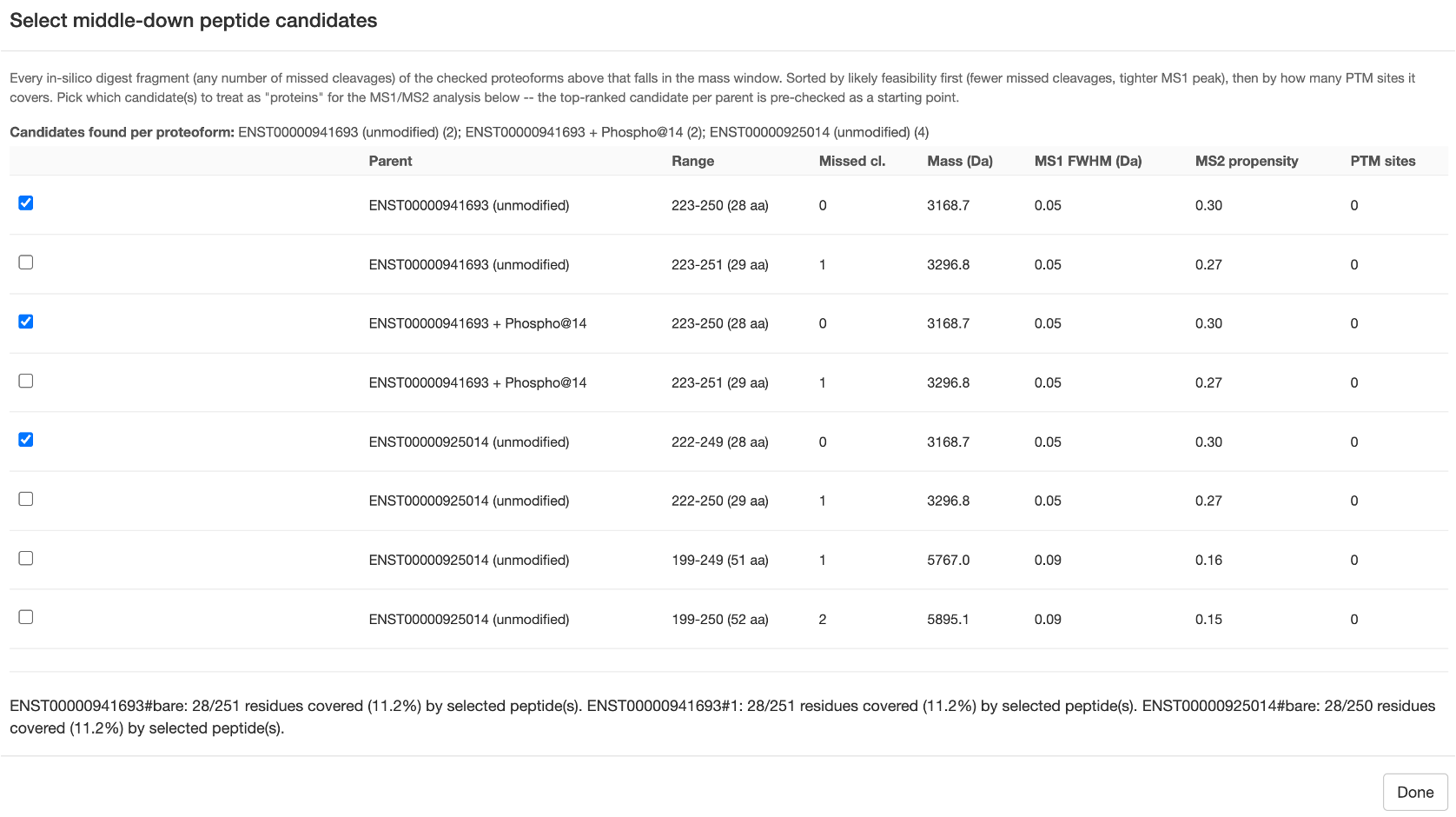
Once at least one proteoform is checked, a Select peptides... button appears next to a one-line summary (how many candidates were found, across how many proteoforms). Click it to open the picker modal:
What's in the table
Every in-silico digest fragment (any number of missed cleavages) of the checked proteoforms that falls within the current mass window (Min/max peptide mass (kDa) in MS strategy), for the protease you picked there. Columns:
| Column | Meaning |
|---|---|
| Parent | Which checked proteoform this peptide comes from |
| Range | Residue range and length |
| Missed cl. | Missed-cleavage count |
| Mass (Da) | Peptide mass |
| MS1 FWHM (Da) | Predicted peak width at this mass/charge — smaller is better |
| MS2 propensity | Average fragmentation-propensity score across this peptide's bonds |
| PTM sites | How many PTM sites (if any) this peptide range covers |
Rows are sorted by likely feasibility first (fewer missed cleavages, tighter MS1 peak), then by how many PTM sites they cover.
Selecting candidates
The top-ranked candidate per parent proteoform is pre-checked as a starting point — override freely. Each checked candidate is treated as its own "protein" for every downstream MS1/MS2 step, exactly like a top-down proteoform would be. A live coverage summary at the bottom of the modal shows what fraction of each parent's residues are covered by your current selection.
The "intact protein offered instead" fallback
A protease with sparse cleavage sites (OmpT, for example, only cuts rare dibasic K/R–K/R sites) can legitimately produce zero real digest fragments in the mass window for a given proteoform, even though it's checked. In that case, ProteoformTracker falls back to offering the intact protein itself as a selectable candidate for that parent — flagged clearly (background tint + "0 digest fragments in window — intact protein offered instead") rather than silently vanishing from the list.
After selecting
Click Done, then Run analysis as usual. Everything downstream — Section 1's MS1/MS2 comparison, Section 2's confounder search — works exactly as it does for top-down, just against the selected peptide fragments instead of intact proteins. Confounders in middle-down mode are searched against other proteins' digest peptides (cut with the same protease), not other intact proteins — a real collision risk an intact-protein-only search would miss.