MS strategy: top-down vs. middle-down
The MS strategy panel is the first thing on the page and applies globally, regardless of which input path you use below it.
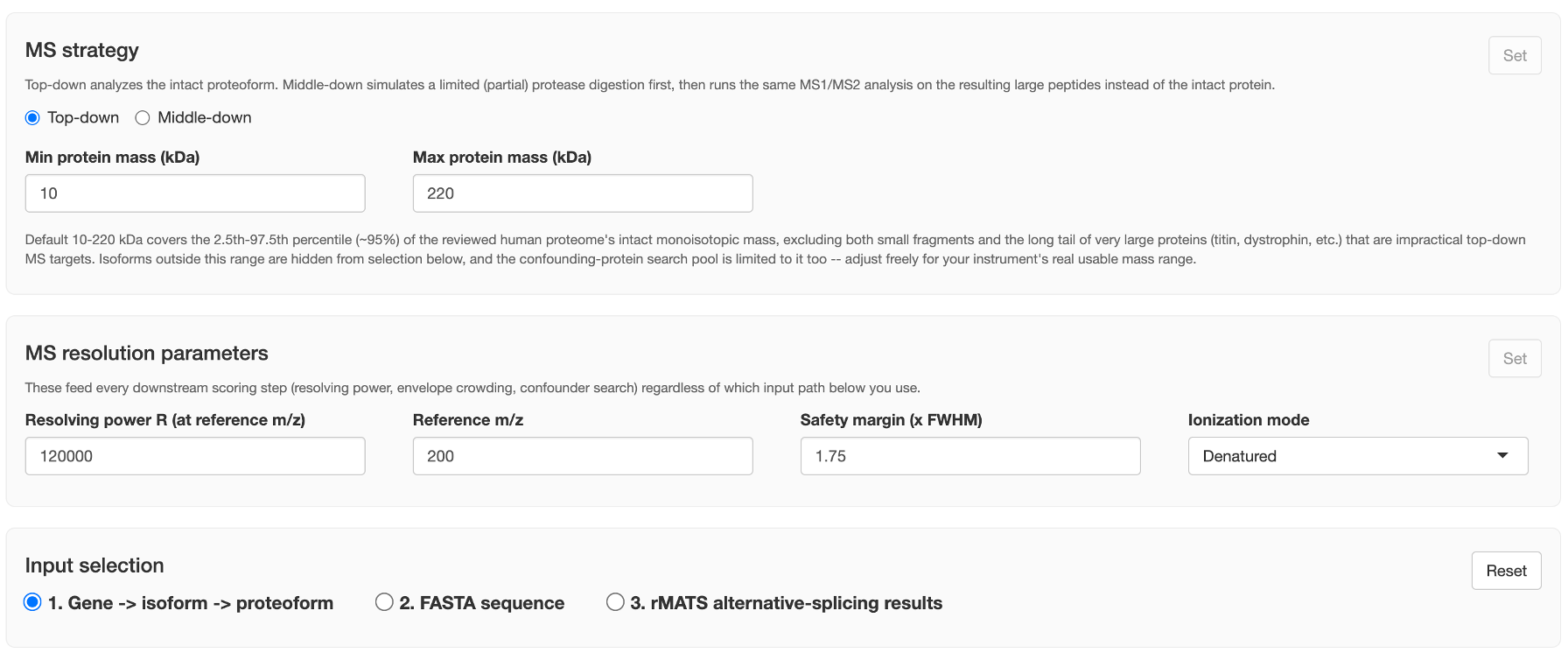
Top-down
Analyzes the intact proteoform directly — the default mode, and what most of this guide's screenshots show.
| Field | Meaning |
|---|---|
| Min protein mass (kDa) | Default 10 — the low end of the "usable" intact-mass range |
| Max protein mass (kDa) | Default 220 — the high end |
The default 10–220 kDa window covers roughly the 2.5th–97.5th percentile (~95%) of the reviewed human proteome's intact monoisotopic mass — excluding both small fragments and the long tail of very large proteins (titin, dystrophin, etc.) that are impractical top-down MS targets. This range does real work in two places: isoforms outside it are hidden from selection in Option 1, and the confounding-protein search pool (see Section 2) is restricted to it too. Widen or narrow it to match your instrument's real usable mass range.
Middle-down
Simulates a limited (partial) protease digestion first, then runs the same MS1/MS2 analysis on the resulting large peptides instead of the intact protein.

| Field | Meaning |
|---|---|
| Protease | OmpT, Lys-C, Lys-N, Glu-C, or Asp-N |
| Min peptide mass (kDa) | Default 3 |
| Max peptide mass (kDa) | Default 10 |
Lys-C, Lys-N, and Glu-C are also common bottom-up digestion enzymes; under a limited (short-time) middle-down digestion they leave real missed-cleavage sites, which this mass window simulates rather than modeling digestion kinetics directly. Once middle-down is selected, checking a proteoform surfaces a Select peptides... button — see Middle-down mode: the peptide candidate picker.
The "Set" button
Both this panel and MS resolution parameters require an explicit click on their own Set button before any of the "Load isoforms" / "Run sequence analysis" / "Run analysis" buttons unlock — this is intentional, not a bug: it forces a deliberate confirmation that these global, everything-downstream-depends-on-them settings are what you actually intend before any computation runs. Changing anything in a panel after clicking Set greys it out again, requiring a fresh click.