Option 3: rMATS alternative-splicing results
For working directly from rMATS differential-splicing output — comparing the two arms of a specific alternative-splicing event as full proteoforms, not just the local differential region.
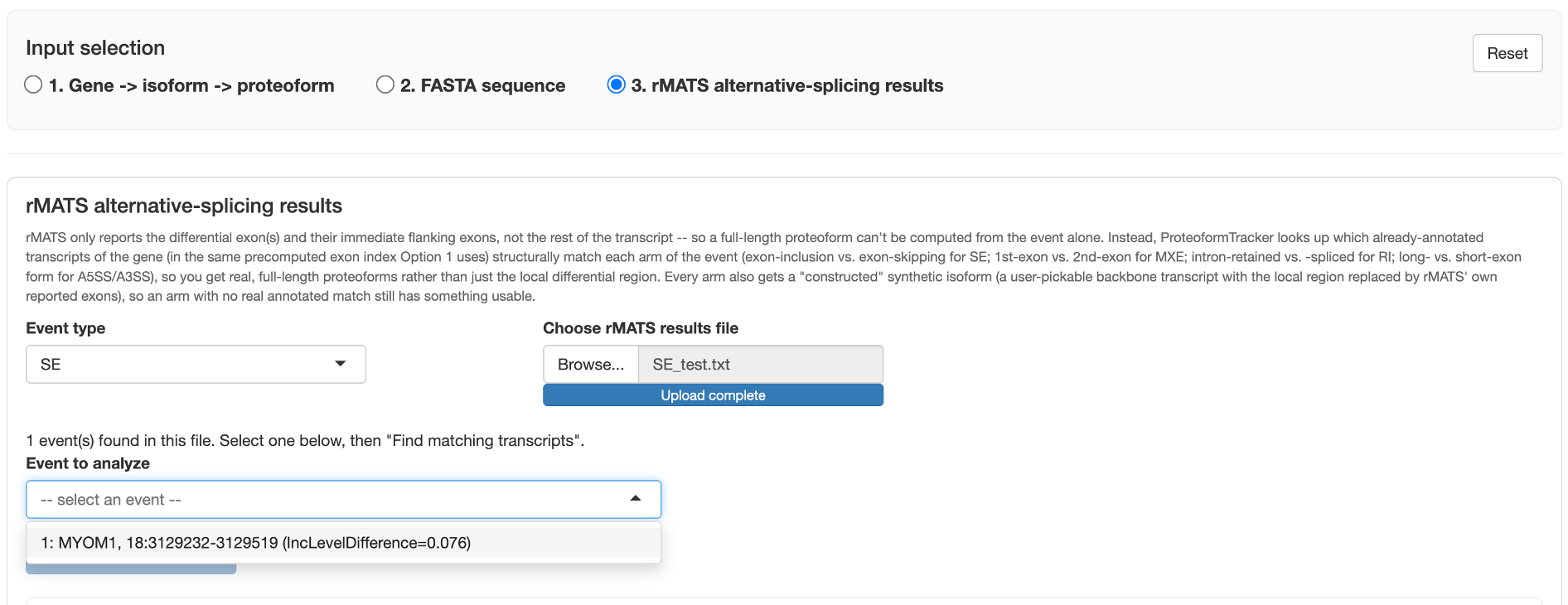
Why this needs annotated-transcript matching
rMATS only reports the differential exon(s) and their immediate flanking exons — not the rest of the transcript — so a full-length proteoform can't be computed from the event alone. Instead, ProteoformTracker looks up which already-annotated transcripts of the gene (in the same precomputed exon index Option 1 uses) structurally match each arm of the event:
- SE (skipped-exon): exon-inclusion vs. exon-skipping arms
- MXE (mutually-exclusive-exons): 1st-exon vs. 2nd-exon arms
- RI (retained-intron): intron-retained vs. spliced-out arms
- A5SS (alternative 5′ splice site): long vs. short 5′ splice-site arms
- A3SS (alternative 3′ splice site): long vs. short 3′ splice-site arms
This gets you real, full-length proteoforms rather than just the local differential region. If no annotated transcript matches a given arm (some events reflect a splicing pattern no single annotated transcript uses), that arm simply shows no candidates — constructing a synthetic transcript for that case isn't implemented yet.
Supported event types
All five rMATS event types — SE, MXE, RI, A5SS, and A3SS — are supported.
Coordinate conventions worth knowing
rMATS coordinates are 0-based-start (so *ES columns need +1 to become 1-based), and rMATS'
own "upstream"/"downstream" column naming follows genomic coordinate order, not transcription
direction — the two flip relative to each other on a minus-strand gene. ProteoformTracker handles
this internally; it's mentioned here only so the transcript-order results don't look surprising if
you're cross-checking against the raw rMATS file yourself.
Workflow
- Pick the event type (SE, MXE, RI, A5SS, or A3SS) matching your results file.
- Upload the rMATS results file (
.txt/.JC.txt) for that event type. - Pick which event (row) to analyze from the dropdown.
- Click Find matching transcripts.
- Review the matched transcripts for each arm, plus the exon-alignment preview showing where the differential exon(s) sit relative to the matched transcripts.
- Click Add to comparison to send the matched proteoforms into the same shared results view Option 1 and Option 2 use.
Try it with real example files
Real rMATS output files for all five event types are in the app repository's
tests/rmats_test/
folder — download one and upload it here to try the workflow immediately, without needing your own
rMATS run first.